Monday, November 1, 2010

ROXIO TOAST TITANIUM 10 PRO


ROXIO TOAST TITANIUM 10 PRO

© 2010 BOB SKIDMORE ALL RIGHTS RESERVED

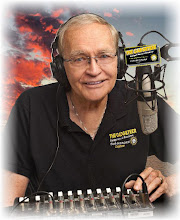
BOB SKIDMORE

CORRESPONDENT

Burning media should be an easy task. If you own a MAC such software is included with your computer, so why the need for anything else? In today’s computer world, MAC or PC, there are so many variables and features that it makes sense to install software specific to the task. Roxio has long been a leader in such software solutions including its most recent bundle, TOAST 10 TITANIUM PRO. While this article reviews TOAST 10 TITANIUM PRO, a bundle, you should be aware that the plug-ins making up this package are in most cases individually available for both the PC and MAC.

TOAST 10 TITANIUM PRO is made up of five main programs making it a powerhouse of creative and processing tools. While not the developer of all these programs, Roxio has teamed up with the various manufacturers to offer the user the opportunity to test drive products at a very minimal cost. Many of the programs included are considered “light”, however, more advanced versions and upgrades are available from the software providers. In many cases, the “light” versions will demonstrate the power of the program, but also will more than meet, or exceed the needs of the user.

(TIP: Roxio Toast 10 Titanium Pro, a bundle, is available for the MAC. The PC version, Roxio Creator 2011 PRO, is very similar. Users interested only in a specific application and not a bundle, can purchase the individual programs from the appropriate developer directly.)

Some of what’s included:

Roxio: Normal disc burning software. Extract clips from DVD-Video discs and convert to the format of your choice. Fit-to-DVD™ compression technology fits a 9 GB DVD-Video onto a 4.7 GB disc. File recovery for damaged discs. High-Def/Bluray disc plug-in allowing you to author ACVHD™ HD video to standard DVDs for playback on Bluray players. (Note, depending on compression used, time limitations do exist.) Ability to author HD video to Bluray discs. AVCHD™ Archive makes it one-step simple to back up an entire camera of HD video to disc. Synch up folders bi-directionally between multiple computers, networks, or external hard disks. Automatically catalog your discs as you burn them with photo thumbnails saved for easy browsing. Schedule backup sessions to any hard drive, or network, or burn to CD/DVD, or Bluray disc. Media browser with file browsing data filters and Spotlight search. Extract clips from DVD-Video discs and convert to the format of your choice. Automatically capture & tag streaming Internet audio. Send captured audio to iTunes® as AAC, Apple® lossless, or MP3. Convert audio from vinyl LPs and tapes to CD/ DVD, and iPod. Capture streaming Internet audio - or any sound - as you hear it with one click. Save web video from your favorite web sites to view on TV or on-the-go. Watch video files on your Mac right on your TV with Mac2TiVo. Stream TV and video from your Mac to your iPhone™, Mac or PC over the Internet.

Sonicfire® Pro: Create professional custom soundtracks for movies and slideshows. Allows you to build unique length tracks for music themes, beds and stings.

(TIP: The pro version offers numerous optional libraries of various music and theme beds.)

SoundSoap: Remove noise from analog or digital recordings. Removes hiss, room noise, rumble, electrical hum, & other background noise from most digital media files. Solves most simple noise problems with the Learn Noise button. Powerful fine tuning offers even better sound results. Perfect for vinyl transfers. This program is worth its weight in gold as it’s easy to use, and works!

FotoMagico™: Turn pictures into stories and present them in HD using your computer as the presenter. Note: Has the ability to be burned on a disc, but quality is greatly reduced.

LightZone™: Create dramatic, corrected photos with professional quality light and color balance. Supports RAW, JPEG, TIFF and PNG formats. Change exposure without changing color and vice-versa. This program is fantastic! Having it available for correcting your photos is invaluable. Truly a must-have for the photographer and graphic artist.

(TIP: All programs require time to master and fully appreciate. It would be wise to go to the individual developer’s web site and follow their tutorials. Here’s a link to an excellent free tutorial for FotoMagico by a nondeveloper: ehow.com/video_4992776_fotomagico-tutorial-creating-project.html )

Roxio’s TOAST 10 TITANIUM PRO, is all-inclusive. In writing a review such as this I’m limited to how detailed I can become. However, that said, there is something here for everyone. I’ve used all these programs and find them well worth the investment.

(TIP: Most developers of third-party applications included in Toast 10 Titanium Pro, offer attractive incentives, or upgrade pricing to Roxio customers, so be sure to check third-party developer sites for details if you want to step it up a notch. See links below.)

MSRP: $149.95 (Various incentives and rebates available. Shop this one to come up with the best deal.) Available on-line and at retail outlets.

Supporting web sites:

Roxio.com

bias-inc.com/products

smartsound.com

lightcrafts.com/lightzone/

boinx.com/fotomagico

GADGETEER’S RATING: H H H H H

Bob Skidmore is a freelance writer who may be contacted at bob.thegadgeteer.skidmore@gmail.com, or followed at twitter.com/bskidmore for the latest gadget industry news. He does not represent, or endorse any of the products he reviews and his opinions are solely his points of view and not those of the manufacturer.

##

Friday, October 1, 2010

THE POWER PILL GRINDER


THE POWER PILL GRINDER

© 2010 BOB SKIDMORE ALL RIGHTS RESERVED

BOB SKIDMORE

CORRESPONDENT

Many of us, at one time or another, have had to grind down pills. Perhaps they are too large, or simply, too hard to swallow. Up to now the only way to accomplish this task was to use a hammer, or a manual twist masher found on many pill splitters. In either case these methods leave large clumps and are difficult to operate, especially for seniors with wrist problems.

(TIP: Before crushing any pill, discuss which pills may be crushed with your physician. Remember, this gadget is for powder based pills & tablets only.)

Variant Products, Ltd., has developed the VitaCarry®, an electric pill crusher powered by three AAA batteries. This device, about the size of two stacked cell phones, is small enough to travel with you. Operation is simple. Slide the upper pill compartment lid away from the device, now revealing the crusher’s blades and pill chamber. Place one, or two pills in the chamber making sure that they do not exceed the height of the compartment since the lid needs to slide back over the chamber before it will function. If necessary, reduce the pill size by splitting it. Never use time-release, liquid filled capsules, gel caps, or hard coated pills. Such medications will loose their effectiveness, not to mention the mess and damage that may occur. Now, slide the lid back in place and press the blue power button below the lid. You can observe the pulverization process thru the round window. Once all the powder has dropped thru to the chamber below, press the power button again to stop the crushing cycle. Directly below the pill compartment is a slide-out collection tray now containing the pill powder and ready for use. Pet owners can remove the collection tray and replace it with a flat lid. Sliding this lid open allows the grounded medication to be spread over their food.

(TIP: All removable parts are dishwasher safe. Be sure to place these items in a dishwasher basket designed for small items, and in the top section of the washer for minimum heat exposure.)

I tested the VitaCarry® with several large pills, none of which required reduction in size. In several seconds the desired result was achieved. Cleaning the device, however, is another story. While I had little difficulty, I could see someone with arthritis may. The process requires complete removal of the lid, a plastic trim strip and the cutter module. The cutter module could prove to be the difficult one as it does require a good grip. When reinstalling, care must be taken to match up the small plastic guides with the chamber. Since they are white, the same color as the device, they too, may create a problem for some.

(TIP: Once a pill has been crushed it may be necessary to thoroughly clean the device before reuse. Other meds may not mix with the previous med and, if used by different people, or pets, they may ingest part of the previous med as well. Discussing this issue with you physician is a must.)

I can definitely see the value of VitaCarry®. It appears to be well built, a good design and people/pet friendly. My only suggestion is that some form of pill splitting feature be included making it even a more useful tool. VitaCarry® is available at retail and on line at: http://www.powerpillgrinder.com/

MSRP: $29.95

GADGETEER’S RATING: H H H H H

Bob Skidmore is a freelance writer who may be contacted at bob.thegadgeteer.skidmore@gmail.com, or followed at twitter.com/bskidmore for the latest gadget industry news. He does not represent, or endorse any of the products he reviews and his opinions are solely his points of view and not those of the manufacturer.

##

Wednesday, September 1, 2010

POCKETSIZED TELEPROMPTER


POCKETSIZED TELEPROMPTER

© 2010 BOB SKIDMORE ALL RIGHTS RESERVED

BOB SKIDMORE

CORRESPONDENT

If you’re in the video production business you should find this article very interesting. If you’re not, I think you’ll enjoy reading about the concept and understanding how far we’ve come in useful applications for the world of the SmartPhone.

Those of us who have been involved in video production know how useful a teleprompter can be. Whether you’re a seasoned professional, or just a novice, making on-camera presentations can be challenging. Availability on short notice can be difficult, not to mention that the cost, purchase, or rental, can be expensive, especially when you may only require it for a few lines of script. Bodelin Technologies may just have the answer with its software app, PROPROMPTER for the iPhone. (also available for PocketPC, iPod Touch and LCD.) Like any other app, ProPrompter easily installs into the iPhone. Once loaded, the application makes use of the iPhone’s large display allowing copy to be easily viewed at reasonable distances from the camera. Software controls permit font size adjustments, scrolling speeds, font & background color selectability, countdowns and synching with more than one iPhone for multiple camera shoots.

The down and dirty approach is to simply butt-up the iPhone to the camera lens. Unlike cue cards, and due to its small size, this method actually worked well with virtually no off-camera look by the talent. Mounting the iPhone in this manner can be accomplished by your own ingenuity, or by purchasing the Wing & Mobile Clip accessory. Copy can be typed directly on the keyboard of the iPhone, or by sending the iPhone an email and then using the copy/paste method to place it into the ProPrompter program, or copy/paste from a web site. This is a very handy feature for broadcasters in the field. The ProPrompter may be remote controlled with another iPhone, or iPod Touch, providing it too has the ProPrompter app installed.

(TIP: Talent distance from the camera and general knowledge of the script all play a role in improving the on-screen look. A little practice and this really can work well.)

Another display method available is the HD ProMag accessory. It features a beam splitter with hood that mounts in front of the lens. This allows the talent to look directly into the lens with the added convenience of 2x magnification for up to a 15’ talent-to-camera distance. It’s the conventional method used by much larger and more expensive prompters.

The ProPrompter serves a definite purpose. While not the cure-all prompter, it certainly is a great tool to have when the unexpected need arises and at a cost that’s unbeatable! I tested it with the Wing & Mobile Clip accessory and found it easy to read and almost impossible to detect the fact that it’s mounted to the right of the lens. The HD ProMag accessory definitely adds value to the system and incorporates the HD 16x9 format to its usage. I definitely rate this as a must have tool for the serious videographer, as well as the seasoned professional.

(TIP: Multiple scripts may be stored in the ProPrompter program. The only limiting factor would be the amount of available memory in your device, perhaps justification for selecting the maximum memory available when purchasing your iPhone, iPod Touch, or PocketPC.)

Bodelin Technologies offers a wide variety of prompting devices including one for the iPad. For more details and *accessory purchases go to http://www.bodelin.com.

MSRP: App $9.95 (available from the Apple App store); *Wing & Mobile Clip $149.95; *HD ProMag $995.00

Note: Other software packages available for Mac/Windows applications and priced accordingly.

GADGETEER’S RATING: H H H H H

Bob Skidmore is a freelance writer who may be contacted at bob.thegadgeteer.skidmore@gmail.com, or followed at twitter.com/bskidmore for the latest gadget industry news. He does not represent, or endorse any of the products he reviews and his opinions are solely his points of view and not those of the manufacturer.

##

Sunday, August 1, 2010

THE SPARKLING DISHWASHER


THE SPARKLING DISHWASHER

© 2010 BOB SKIDMORE ALL RIGHTS RESERVED

BOB SKIDMORE

CORRESPONDENT

I’ve tested many dishwashers over the years. My biggest complaint is that the dishes never have that sparkling look seen in the product and soap commercials, nor are heavily soiled items ever totally clean. Recently I tested one that really performs as advertised, and then some.

(TIP: Do not rely on exterior dimensions in determining if a specific model will fit under your counter. Tub configuration, such as, round or squared edges, can play a major role in calculating the final fit.)

The MDB7809AWM is an under-the counter, stainless exterior, model from Maytag. It features a stainless steel interior, resistant to rust and grime, a definite must-have, since this is the most common problem that determines the life of your machine. Two utensil racks may be easily mounted anywhere, however, mounting bottom right is preferred since this washer features a special high-pressure spray, Silverware Blast, aimed in that direction, with spotless results. Racks, upper & lower, as well as their accessories are adjustable for different size objects, a feature not commonly offered. This washer is outfitted with so many thoughtful features I could not possibly list them all.

Cycle & option selections appear somewhat intimidating at first glance. However, you’ll soon appreciate the benefits in deep cleaning and cost savings. These features include: Auto Clean Plus – Loads with heavy, normal, or light amounts of food soil; Heavy – Heavily soiled pots, pans, casseroles and tableware; Normal – Normal amounts of food soil; Light – China & crystal; Insta Wash – Quickly wash pre-rinsed glasses, or dishes; Rinse Only – Rinse loads that will not be washed immediately; Heat Dry – Extra heat drying; Sanitize – Raises time cycle & final rinse temp to 154°f. Steam Clean – Adds steam to the rinse cycle to deep clean & shine; High Temp Wash – Increases water temp during wash cycle.

(TIP: Use a product like “Finish Jet Dry”. Works with other features of this washer to give you that sparkling look. Dispenser with consumption gauge inside door.)

In my tests I used the Normal > Sanitize > Steam Clean settings. The results were always exceptional. The door has a tight seal, which makes it somewhat difficult to unlatch. This washer is well thought out. The inner stainless steel liner, handy interior features, superior construction and outstanding results make it a best buy.

(TIP: Any dishwasher needs periodic preventative maintenance. Products such as “Dishwasher Magic”, available at most supermarkets, remove lime scale and rust. They should be used in six-month intervals to prolong the life of your investment)

MSRP: $849.00 (non exterior stainless models are less)

GADGETEER’S RATING: H H H H H

Bob Skidmore is a freelance writer who may be contacted at bob.thegadgeteer.skidmore@gmail.com, or followed at twitter.com/bskidmore for the latest gadget industry news. He does not represent, or endorse any of the products he reviews and his opinions are solely his points of view and not those of the manufacturer.

##

Thursday, July 1, 2010

A GREEN BLUETOOTH SPEAKERPHONE FOR YOUR CELL


A GREEN BLUETOOTH SPEAKERPHONE FOR YOUR CELL PHONE…

(and it works too!)

© 2010 BOB SKIDMORE ALL RIGHTS RESERVED

BOB SKIDMORE

CORRESPONDENT

As we all know driving and using a cell phone is dangerous and perhaps even illegal, unless we have some form of hands free device. Most phones manufactured today offer a Bluetooth feature allowing external, wireless, accessories to be interconnected. I tested one such accessory by Scosche, known as the SolCHAT II.

The SolCHAT II is solar powered, however, a USB/DC plug is included for cloudy days. I’ve never resorted to its use even though my car is parked in an open-air garage under a building. The SolCHAT II also includes a housing that can mount the unit to your windshield via suction cups, or a visor clip, and makes it easy to remove the device from the mount when leaving the vehicle.

(TIP: Suction cup installation is probably the best, however suction cups will eventually detach from the glass surface. As a precaution, to minimize the possibility of loosing the speakerphone, I attached a small wire, such as a fishing leader, and connected it to the interior plastic windshield molding.)

A handy feature of the SolCHAT II is the ability to transfer up to 1000 of your phone’s contacts to the device. Doing so now permits audible caller ID and voice recognition dialing directly from your personal contact list, truly making this “hands free operation”. It is also possible to easily transfer in and out of the speakerphone mode for private conversations, naturally, when you are not the driver.

(TIP: How you names, last name first, or whatever, are entered into your phone’s contact list, will effect how the speakerphone recognizes, or announces the name via the caller ID feature.)

I found the SolCHAT II worked well with my iPhone, however, it should perform equally as well on most other brands providing they include Bluetooth technology. Since it’s powered by solar energy, or 12 volts DC, and offers a language selection that includes English, German, French, Italian and Spanish, it is a worldwide product. The built-in volume control offers sufficient range of audio levels for front seat operation. The only exception to this would be a noisy AC system, or having the windows down, both correctable scenarios when using the unit. The only other issue I found is that if you leave the vehicle, out of Bluetooth range, the device naturally disconnects from your phone, but remains powered up for a few minutes. Upon your return your phone will not reconnect and the SolCHAT II will automatically power off after ten minutes. I guess the auto shutdown feature out weighs a reconnect one?

The SolCHAT II is available on line and at retail, including the Apple store. For further details go to: www.scosche.com/products and select BLUETOOTH > HANDSFREE.

MSRP: $99.95

GADGETEER’S RATING: H H H H H

Bob Skidmore is a freelance writer who may be contacted at bob.thegadgeteer.skidmore@gmail.com, or followed at twitter.com/bskidmore for the latest gadget industry news.

##

Tuesday, June 1, 2010

PUT YOUR OLD HARD DRIVE TO USE....


PUT YOUR OLD HARD DRIVE TO USE…

(So easy, even a cave man can do it!)

© 2010 BOB SKIDMORE ALL RIGHTS RESERVED

BOB SKIDMORE

CORRESPONDENT

At some point everyone upgrades their computer’s hard drive to a larger capacity drive, or perhaps even replaces the entire computer for a faster model. So what do you do with the old hard drive? No doubt you’ve heard the warnings about discarding drives? Even if you think you’ve erased all the data hackers have the know-how and ability to access this hidden information. So what should you do? You could destroy the old drive with a hammer, or, better yet, use the drive as a spare external storage device for back up purposes.

(TIP: The use of a spare hard drive in the dock could be used to clone your computer’s main hard drive. Cloning would permit booting up from the docked back up drive in the event the main drive crashes. Carbon Copy Cloner is free software available for Mac’s that easily does the job. Similar software is available for PC’s.)

Cables Unlimited has come up with an easy external docking solution. If you have a SATA type drive, as identified on the ID label of the drive, and probably the newest and most popular model, you can simply snap it into the unique docking station. If you have an eSATA drive, a cable adapter is provided for external hook up. The DOCK accepts most 2.5 and 3.5” SATA drives. The front base includes a 2.0 USB hub with 2 ports, and flash card slots for reading MS/MS DUO, CF and SD/MMC type cards commonly used in many digital cameras. The rear base includes the USB output port, an eSATA port for the previously described supplied adapter cable, power jack and on/off switch.

(TIP: Never hot swap, remove the drive, while the computer is powered up. You may, however, hot swap the USB connection to the computer.)

Using the dock is very easy. Simply insert the 2.5” SATA hard drive into the dock. If you have a 3.5” drive, flip the guide latch up and place the drive into the connector at the bottom. To remove either size drive a handy pullout cover is provided which assists pulling out the drive, up and out of the connector, accomplished by pulling the cover towards you.

(TIP: If you do not have a SATA drive, or have compatibility issues with this device, numerous adapter cables and housings are available to accommodate most other drives, or even this one, if compatibility issue arise.)

Using a docking device, adapter cable or housing is very easy. If you can read a label, you can easily determine what type of hard drive you have. Matching the type to the gadget needed is then not difficult. You’re now saving the environment, protecting your old data and gaining extra storage capabilities at the same time.

I found the USB-2155 DESKTOP HDD DOCK by Cables Unlimited to be a useful device that works in both the MAC and PC platforms, as well as some Casablanca Editors and can operate on 100-240 VAC, 50/60Hz, with the supplied power adapter. Even though it’s plastic, with the proper care it should give years of service. Further details are available at www.cablesunlimited.com. The DOCK is available at retail and on line.

(TIP: Compatibility is always a concern when purchasing any computer peripherals. Always ask about the return policy before making the purchase. When you purchase a device test it immediately so you can return non-compatible items in a timely manner. After all, computers sometimes have a mind of their own)

MSRP: $59.95

GADGETEER’S RATING: H H H H H

Carbon Copy Cloner for MAC available at http://www.bombich.com/

Bob Skidmore is a freelance writer who may be contacted at bob.thegadgeteer.skidmore@gmail.com, or followed at twitter.com/bskidmore for the latest gadget industry news.

##

Saturday, May 1, 2010

A LITTLE JUICE IS GOOD FOR YOUR iPHONE


A LITTLE JUICE IS GOOD FOR YOUR iPHONE

© 2010 BOB SKIDMORE ALL RIGHTS RESERVED

BOB SKIDMORE

CORRESPONDENT

The iPhone 3G and 3GS are probably one of the best and most popular smart phones on the market today. However, anything electronic always has a downfall. In this case it’s the iPhone’s battery life. AT&T and Apple are quick to tell you to shut off things like 3G, wi-fi and many of the other neat features that we all paid for and want to use. Under normal circumstances I use the phone for incoming and outgoing calls ten, or more times a day. I probably use the Internet and/or email for about half an hour during this same period. My phone charges all night and begins its daily use cycle around 8 AM. Like clockwork, I can count on the battery being down to a 28% discharge by 7 PM. Apple indicates you should never let your phone discharge below 22%, as it will go into a safe mode that ceases all operations. Even the use of the AC adapter, or car cord has no effect at this point.

Mophie, an Apple products third party accessory provider, offers a simple and effective solution known as the “JUICE PACK AIR”. The JUICE PACK AIR is a shell that easily incases the iPhone and only adds a few ounces to the overall weight. In fact, I find the added weight and slight increase in size gives the iPhone a better, more secure feel. In this shell is a flat, non-visable/non-replaceable, battery that more than doubles your battery life and includes its own ‘charge remaining’ indicator. If size is not a consideration the original JUICE PACK, a model that is slightly bigger and provides a bit more charge, is also available.

(TIP: 3GS models have a setting under settings>general>usage that activates the percentage readout feature. The percentage appears next to your battery symbol on the top right of the home page)

When your battery approaches the 22% mark, you just turn on the JUICE PACK AIR with the switch on the bottom right edge. JUICE PACK AIR now begins charging your original battery while allowing full use of the phone. JUICE PACK AIR uses its own USB cable that charges both batteries and can sync your iPhone as well. Also available, but not tested by me, is the JUICE PACK TV that not only provides the extra battery power, but also includes live TV viewing. It requires an additional service provided by AT&T on a monthly fee basis.

I’ve tested the JUICE PACK AIR and find it works well. The extra weight and size better fits my grip and makes it less likely to be dropped. The design is much better than some of the other products available. They attach like large appendages that can easily break off, and make for a clumsy phone. The USB cable supplied is too short, a problem plaguing most iPhone car cords and the Scosche Bluetooth speakerphone, a gadget I will review in a future article. I give the JUICE PACK AIR five stars since it’s well built, works exceptionally well and seems to be the best external battery pack available.

It’s interesting to note, Mophie is currently developing the MARKETPLACE, a magnetic strip reader for the 3G and 3GS iPhones. This device looks much like the JUICE PACK, but will read credit cards and automatically send electronic receipts to the customer. The Apple stores currently use a similar device in place of checkout counters, so Apple associates all carry one. JUICE PACK AIR is available on-line at www.mophie.com and at retail, including the Apple store.

MSRP: JUICE PACK AIR $79.95 • Original JUICE PACK $99.95

GADGETEER’S RATING: H H H H H

(TIP: Always return to the Home Page prior to putting your iPhone to sleep. Failure to do so causes the application to continue running in the background thus further draining the battery)

Bob Skidmore is a freelance writer who may be contacted at bob.thegadgeteer.skidmore@gmail.com, or followed at twitter.com/bskidmore for the latest gadget industry news.

##